Add PDF Page Numbering Tool Features
Page Numbering for Easy Identification
Every page of your PDF is automatically named and exported as a BMP image with its corresponding page number. This makes organization, sorting, and reference much simpler—especially for large or multi-page documents.
- Each image is named by page number (e.g.,
page-1.bmp,page-2.bmp) - Helps in maintaining page order and indexing
- Streamlines large document management
Adding Custom Numbering
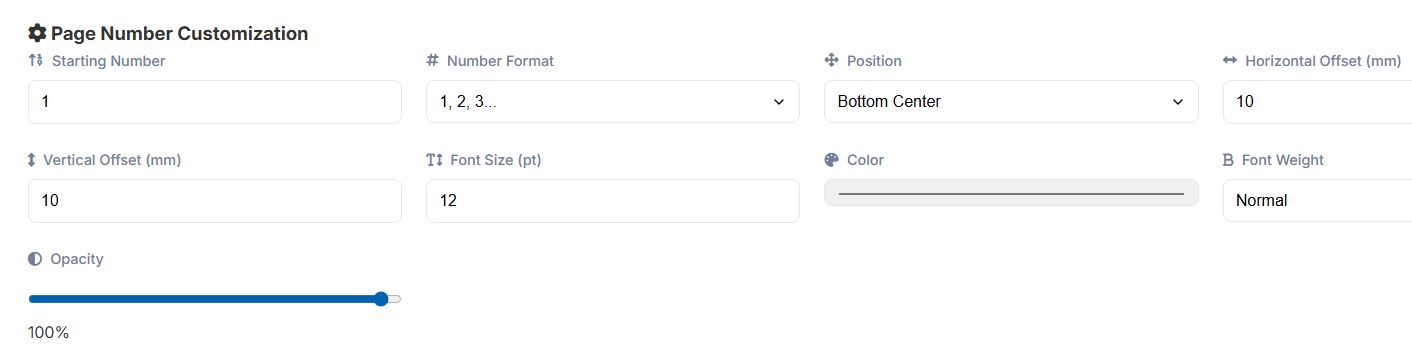
You can easily add page numbers to all pages in your PDF document, but you can also customize this numbering.
- You can start the numbering at any number.
- You can change the page number format: 1, 2, 3..., or type i, ii, iii..., or type I, II, III..., or a, b, c..., or A, B, C..., or Custom Format.
- You can customize the positioning of the page number.
- You can customize the font and weight of the font used.
- You can customize the color of the page number.
- You can change the opacity of the page number.
Customization screen after uploading PDFs to be numbered: